
Theory
Eisenhower Matrix
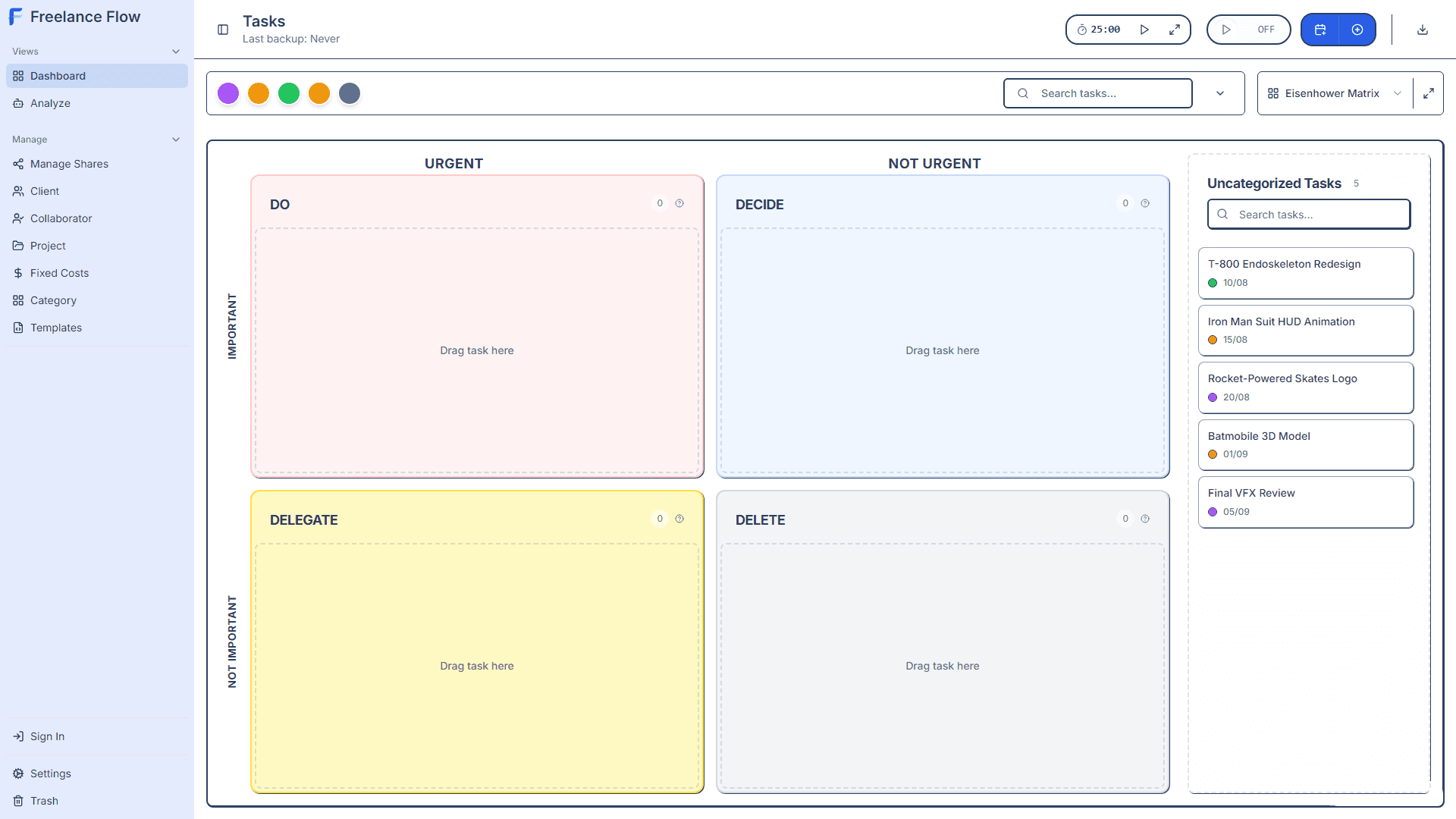
The Eisenhower Matrix helps you prioritize tasks by categorizing them based on urgency and importance.
Note
In other app views, urgency and importance levels are represented by Flag icons with corresponding colors. Color sets can be customized in settings.
The Four Quadrants
DO (Urgent & Important)
Critical tasks that require immediate attention. Do these first.
DECIDE (Not Urgent & Important)
Important tasks that can be scheduled. Plan time for these.
DELEGATE (Urgent & Not Important)
Tasks that need to be done soon but can be delegated to others.
DELETE (Not Urgent & Not Important)
Low-value tasks that should be eliminated or minimized.
Using the Matrix
1
Switch to Eisenhower view from the sidebar
2
Drag tasks into the appropriate quadrant
3
Set maximum tasks per quadrant in Settings
4
Review and adjust priorities regularly
Prioritization Tips
- Be honest about what's truly urgent and important
- Don't let the urgent crowd out the important
- Regularly review and declutter the DELETE quadrant
- Focus on completing DO tasks before moving to others